Markdown to PDF Converter
Free. Converts in your browser — no upload or signup required.
Markdown Input
or
Drop a Markdown (.md) file here!
PDF Output
No content generated yet
Start typing or drop a Markdown file to see the preview.
Write plain Markdown. Get a page you would send.
Every page below was produced by the converter above, from the source shown with it.
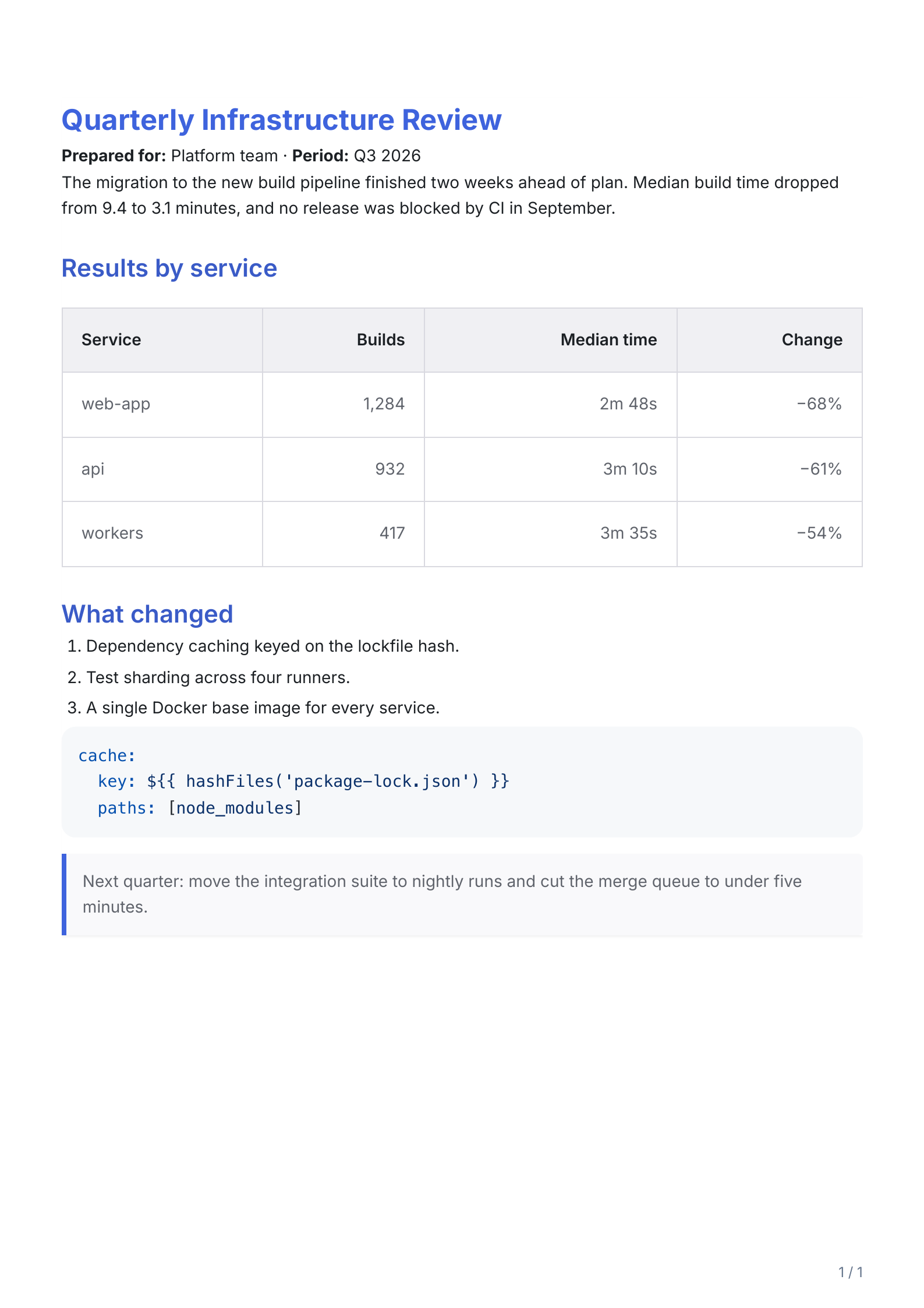
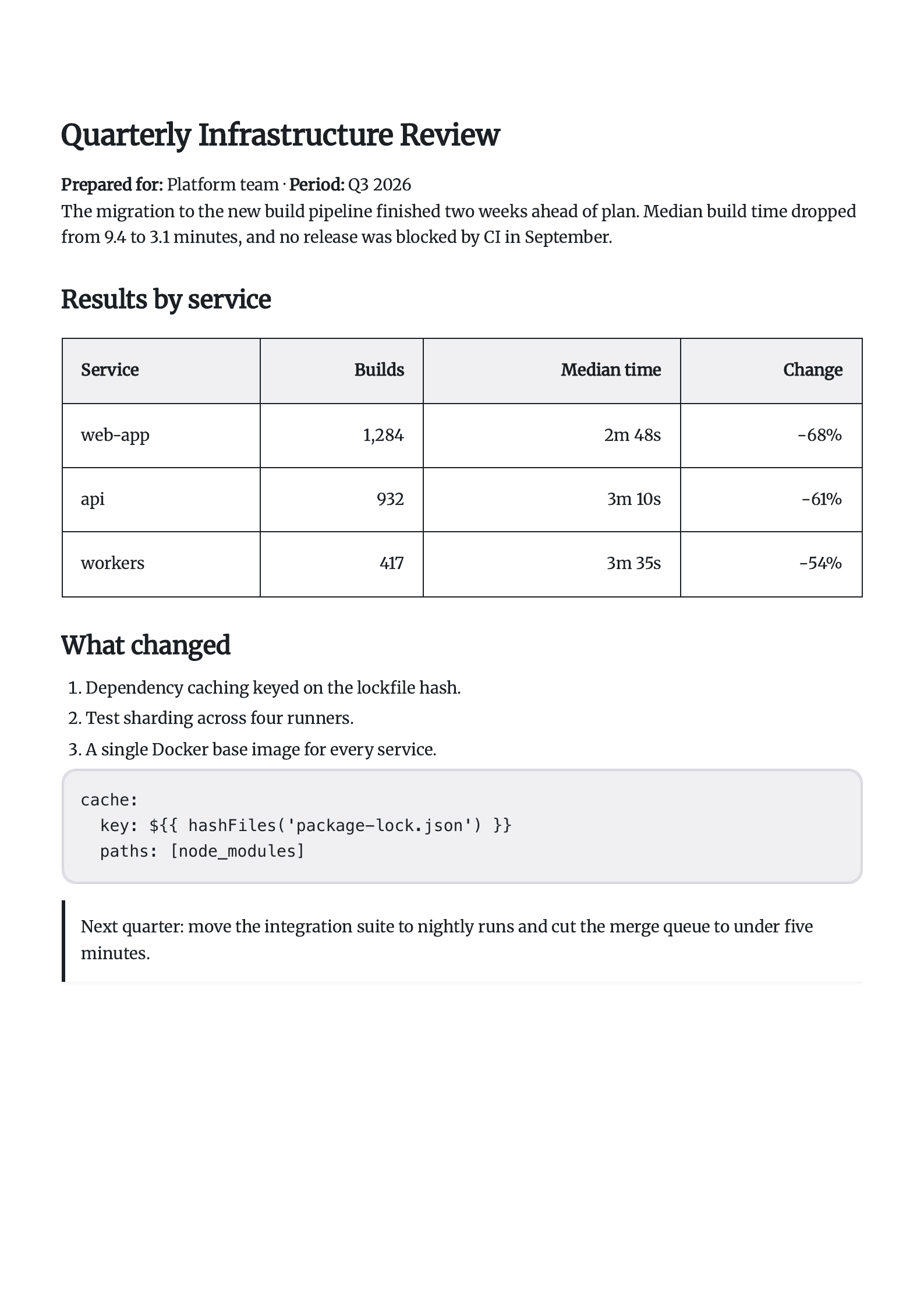
# Quarterly Infrastructure Review**Prepared for:** Platform team · **Period:** Q3 2026The migration to the new build pipeline finished two weeks ahead of plan. Median build time dropped from 9.4 to 3.1 minutes, and no release was blocked by CI in September.## Results by service| Service | Builds | Median time | Change ||---|---:|---:|---:|| web-app | 1,284 | 2m 48s | −68% || api | 932 | 3m 10s | −61% || workers | 417 | 3m 35s | −54% |## What changed1. Dependency caching keyed on the lockfile hash.2. Test sharding across four runners.3. A single Docker base image for every service.```yamlcache: key: ${{ hashFiles('package-lock.json') }} paths: [node_modules]```> Next quarter: move the integration suite to nightly runs and cut the merge queue to under five minutes.report.md, 27 lines of Markdown
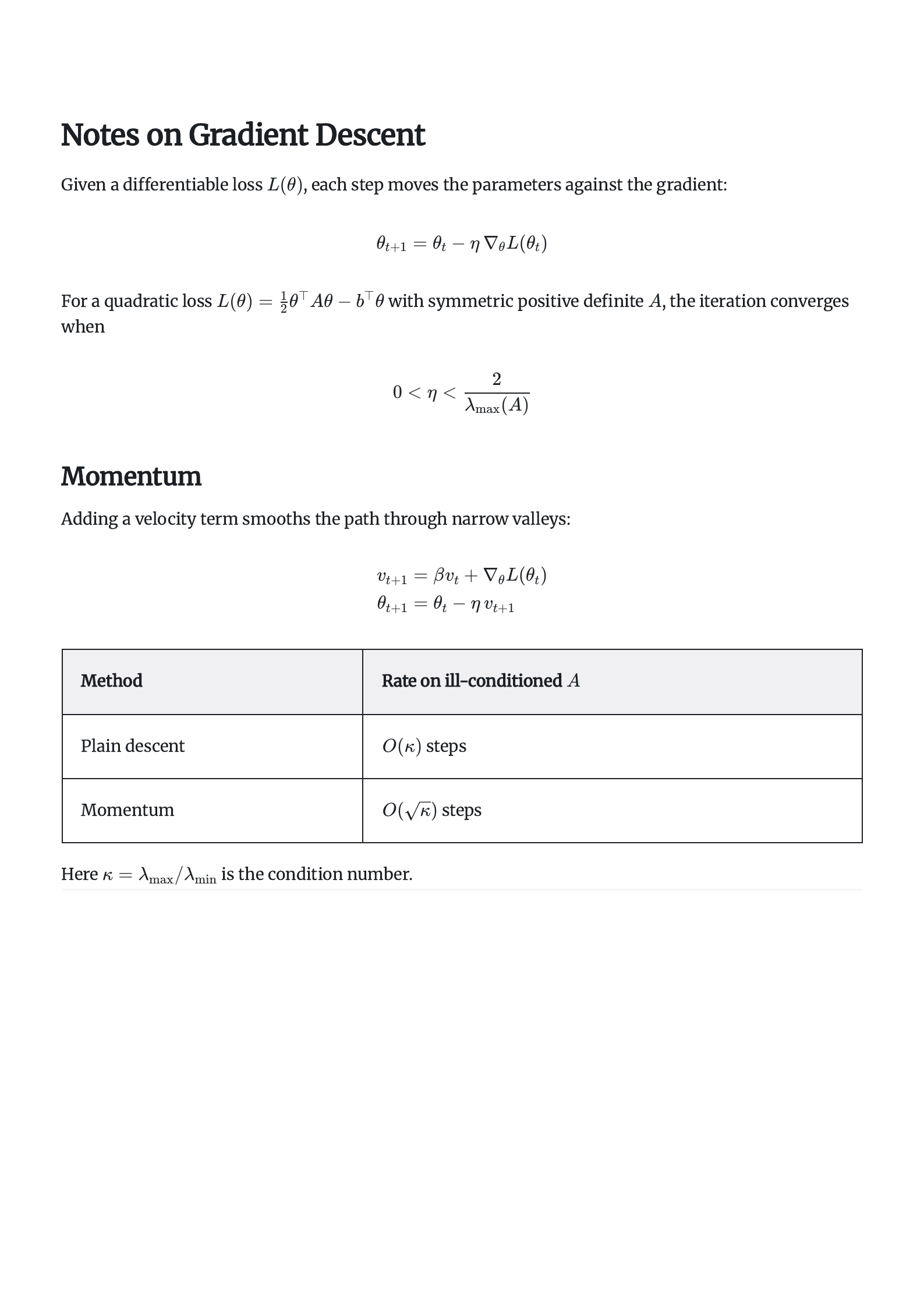
# Notes on Gradient DescentGiven a differentiable loss $L(\theta)$, each step moves the parameters against the gradient:$$\theta_{t+1} = \theta_t - \eta \, \nabla_\theta L(\theta_t)$$For a quadratic loss $L(\theta) = \tfrac{1}{2}\theta^\top A \theta - b^\top \theta$ with symmetric positive definite $A$, the iteration converges when$$0 < \eta < \frac{2}{\lambda_{\max}(A)}$$## MomentumAdding a velocity term smooths the path through narrow valleys:$$\begin{aligned}v_{t+1} &= \beta v_t + \nabla_\theta L(\theta_t) \\\theta_{t+1} &= \theta_t - \eta \, v_{t+1}\end{aligned}$$| Method | Rate on ill-conditioned $A$ ||---|---|| Plain descent | $O\!\left(\kappa\right)$ steps || Momentum | $O\!\left(\sqrt{\kappa}\right)$ steps |Here $\kappa = \lambda_{\max} / \lambda_{\min}$ is the condition number.math.md, 31 lines of Markdown
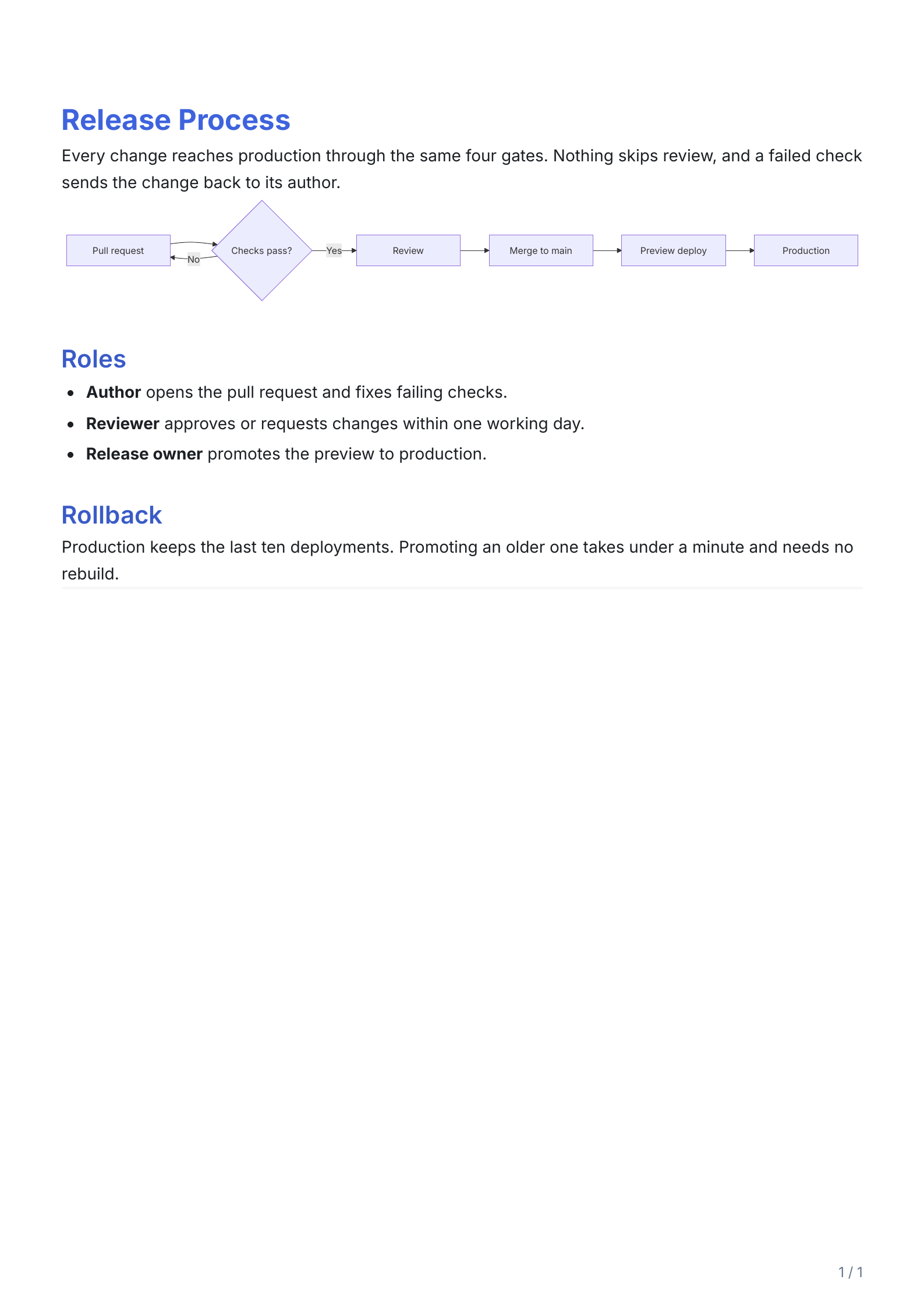
# Release ProcessEvery change reaches production through the same four gates. Nothing skips review, and a failed check sends the change back to its author.```mermaidflowchart LR A[Pull request] --> B{Checks pass?} B -- No --> A B -- Yes --> C[Review] C --> D[Merge to main] D --> E[Preview deploy] E --> F[Production]```## Roles- **Author** opens the pull request and fixes failing checks.- **Reviewer** approves or requests changes within one working day.- **Release owner** promotes the preview to production.## RollbackProduction keeps the last ten deployments. Promoting an older one takes under a minute and needs no rebuild.diagram.md, 23 lines of Markdown
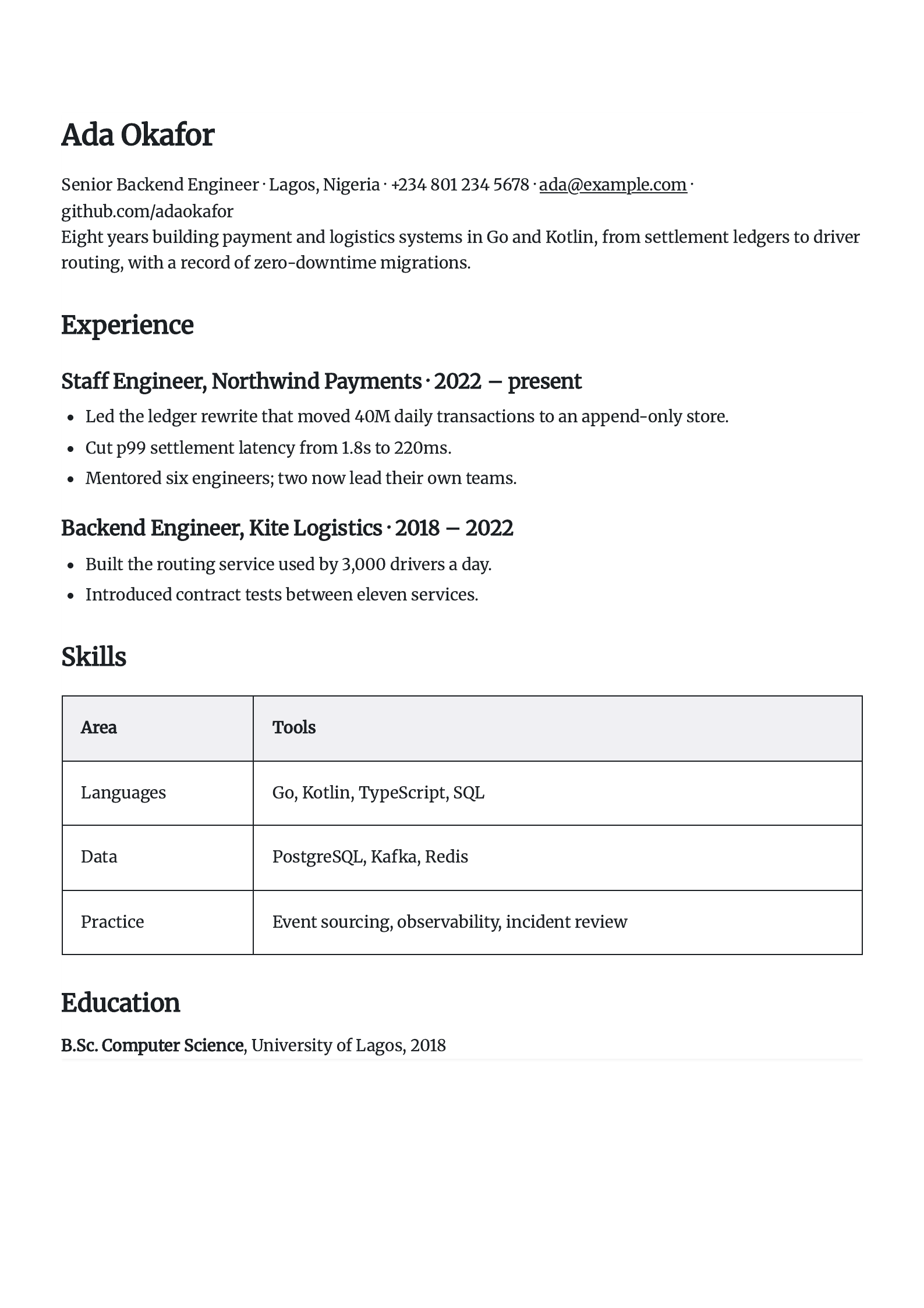
# Ada OkaforSenior Backend Engineer · Lagos, Nigeria · +234 801 234 5678 · ada@example.com · github.com/adaokaforEight years building payment and logistics systems in Go and Kotlin, from settlement ledgers to driver routing, with a record of zero-downtime migrations.## Experience### Staff Engineer, Northwind Payments · 2022 – present- Led the ledger rewrite that moved 40M daily transactions to an append-only store.- Cut p99 settlement latency from 1.8s to 220ms.- Mentored six engineers; two now lead their own teams.### Backend Engineer, Kite Logistics · 2018 – 2022- Built the routing service used by 3,000 drivers a day.- Introduced contract tests between eleven services.## Skills| Area | Tools ||---|---|| Languages | Go, Kotlin, TypeScript, SQL || Data | PostgreSQL, Kafka, Redis || Practice | Event sourcing, observability, incident review |## Education**B.Sc. Computer Science**, University of Lagos, 2018resume.md, 30 lines of Markdown
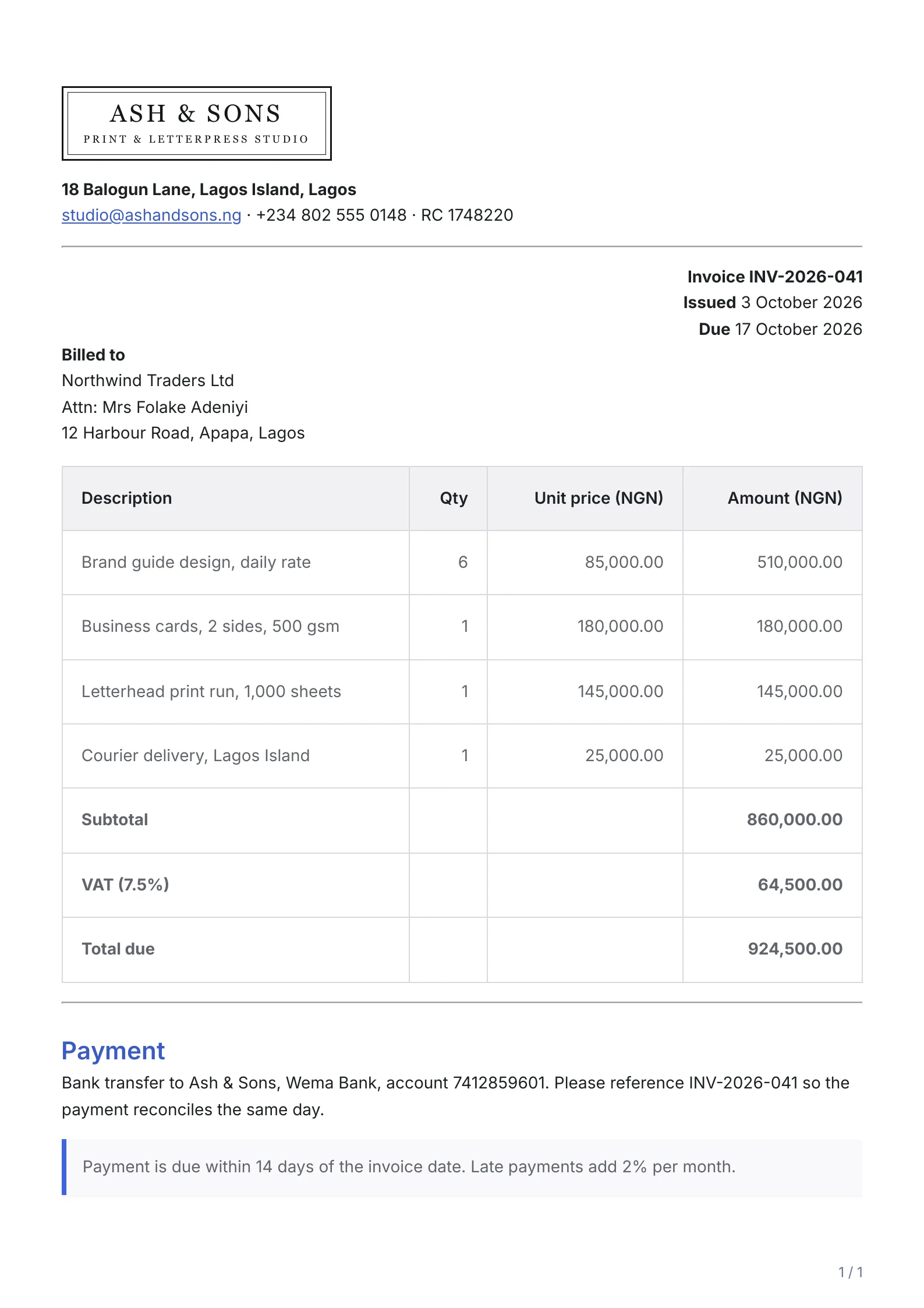
::: left:::**18 Balogun Lane, Lagos Island, Lagos** studio@ashandsons.ng · +234 802 555 0148 · RC 1748220---::: right**Invoice INV-2026-041** **Issued** 3 October 2026 **Due** 17 October 2026:::**Billed to** Northwind Traders Ltd Attn: Mrs Folake Adeniyi 12 Harbour Road, Apapa, Lagos| Description | Qty | Unit price (NGN) | Amount (NGN) || ---------------------------------- | ---: | ---------------: | -------------: || Brand guide design, daily rate | 6 | 85,000.00 | 510,000.00 || Business cards, 2 sides, 500 gsm | 1 | 180,000.00 | 180,000.00 || Letterhead print run, 1,000 sheets | 1 | 145,000.00 | 145,000.00 || Courier delivery, Lagos Island | 1 | 25,000.00 | 25,000.00 || **Subtotal** | | | **860,000.00** || **VAT (7.5%)** | | | **64,500.00** || **Total due** | | | **924,500.00** |---## PaymentBank transfer to Ash & Sons, Wema Bank, account 7412859601. Please reference INV-2026-041 so the payment reconciles the same day.> Payment is due within 14 days of the invoice date. Late payments add 2% per month.invoice.md, 37 lines of Markdown
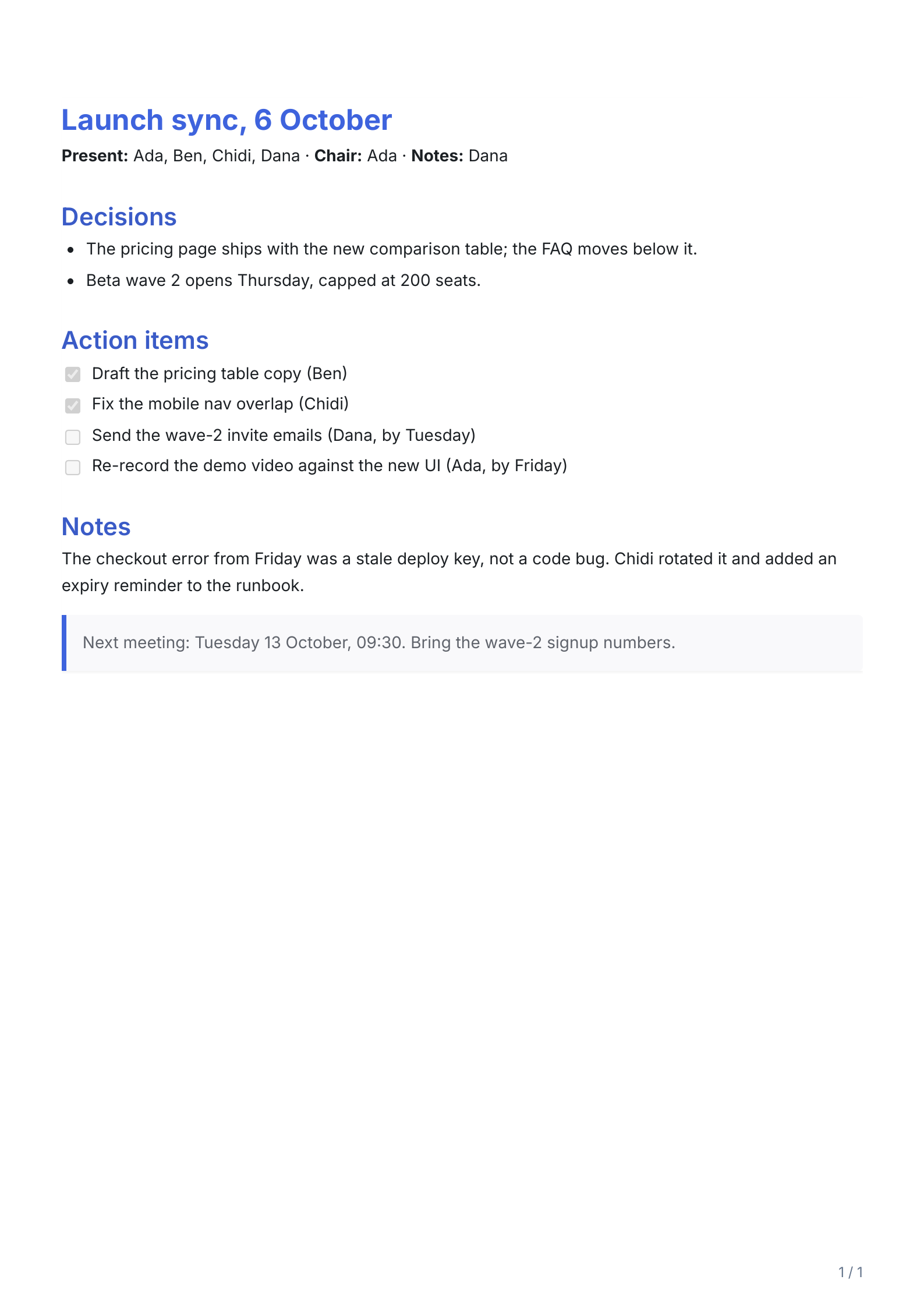
# Launch sync, 6 October**Present:** Ada, Ben, Chidi, Dana · **Chair:** Ada · **Notes:** Dana## Decisions- The pricing page ships with the new comparison table; the FAQ moves below it.- Beta wave 2 opens Thursday, capped at 200 seats.## Action items- [x] Draft the pricing table copy (Ben)- [x] Fix the mobile nav overlap (Chidi)- [ ] Send the wave-2 invite emails (Dana, by Tuesday)- [ ] Re-record the demo video against the new UI (Ada, by Friday)## NotesThe checkout error from Friday was a stale deploy key, not a code bug. Chidi rotated it and added an expiry reminder to the runbook.> Next meeting: Tuesday 13 October, 09:30. Bring the wave-2 signup numbers.notes.md, 21 lines of Markdown
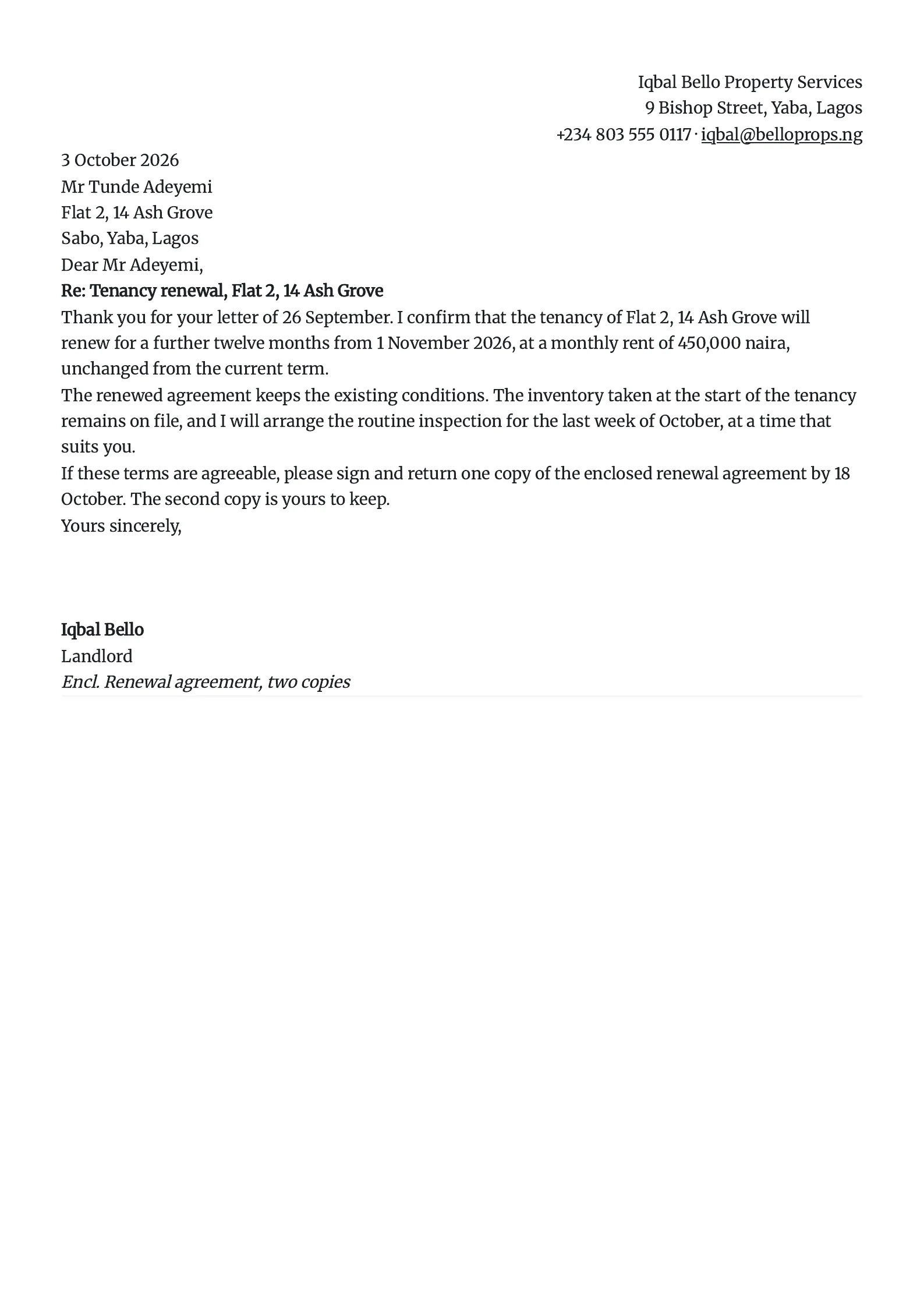
::: rightIqbal Bello Property Services 9 Bishop Street, Yaba, Lagos +234 803 555 0117 · iqbal@belloprops.ng:::3 October 2026Mr Tunde Adeyemi Flat 2, 14 Ash Grove Sabo, Yaba, LagosDear Mr Adeyemi,**Re: Tenancy renewal, Flat 2, 14 Ash Grove**Thank you for your letter of 26 September. I confirm that the tenancy of Flat 2, 14 Ash Grove will renew for a further twelve months from 1 November 2026, at a monthly rent of 450,000 naira, unchanged from the current term.The renewed agreement keeps the existing conditions. The inventory taken at the start of the tenancy remains on file, and I will arrange the routine inspection for the last week of October, at a time that suits you.If these terms are agreeable, please sign and return one copy of the enclosed renewal agreement by 18 October. The second copy is yours to keep.Yours sincerely, **Iqbal Bello** Landlord*Encl. Renewal agreement, two copies*letter.md, 34 lines of Markdown
Same Markdown, two themes. Modern for screens, Academic for print.
Pick either from the theme menu, then one of 12 fonts and a paper size from A5 to A1, Letter, Legal or Tabloid.
Where your document goes. Nowhere, unless you ask.
-
Rendering
Your Markdown is parsed and typeset by JavaScript in this tab. The PDF is assembled in memory and saved by your browser; there is no upload step.
-
Drafts
Documents are saved in this browser’s IndexedDB so they survive a reload. Clearing site data removes them.
-
Account
Optional. Signing in adds cloud sync, which stays off until you turn it on. Only then are documents sent to our server.
-
Analytics
Usage analytics record events such as an export or a theme change, never the text of your document. A dropped file’s name and size are part of its event.
-
Offline
Once the page has loaded, conversion keeps working without a connection. Mermaid is the exception: it loads the first time a document contains a diagram.
Coming from something else? Here is what changes.
Word or Google Docs
Write in plain text and let headings, tables and lists style themselves. No ribbon, no fighting with spacing, and the file stays readable in any editor.
Pandoc or LaTeX
Nothing to install and no template files. Inline and display maths render with KaTeX. For a thesis with citations and cross-references, Pandoc is still the better tool.
Other online converters
Many upload your file to a server. This one renders in your browser, adds no watermark and sets no page limit.
Questions
More in the help pages.
Is ConvertMD2PDF free to use?
Yes, ConvertMD2PDF is completely free to use with no signup required. All conversion happens in your browser.
Is my data private when using this converter?
Yes. By default all processing happens locally in your browser - no files are uploaded to any server. If you create an optional account, you decide where your data lives: keep documents on this device only, or turn on cloud sync.
What Markdown features are supported?
ConvertMD2PDF supports full GitHub Flavored Markdown including headers, lists, tables, code blocks with syntax highlighting, LaTeX math equations via KaTeX, and Mermaid diagrams.
Can I customize the PDF theme?
Yes! We offer two themes: Modern (colorful with syntax highlighting) and Academic (clean black and white). You can also choose between light and dark editor modes.
Can I use converted PDFs commercially?
Yes, you can use the PDFs generated by ConvertMD2PDF for any commercial purpose. You retain full rights to your content.
What is the maximum file size for conversion?
Since all processing happens in your browser, there's technically no file size limit. However, very large documents (hundreds of pages) may render slightly slower.
Guides
All guides-
How to Convert Markdown to PDF for Free
Step-by-step guide to converting Markdown to PDF without paying a cent. No signup, no watermarks, completely free.
-
How to Convert Markdown with LaTeX Math to PDF
Render LaTeX equations, matrices, and integrals in Markdown then export to beautifully formatted PDF documents.
-
How to Export Mermaid Diagrams to PDF
Turn Mermaid flowcharts, sequence diagrams, and class diagrams into professional PDF documents with one click.